Quick capture
Paste useful text and save it without creating folders, tags, or a document first.
Capture now. Find later.
Save useful text now, then find it again with a few words when you need it.
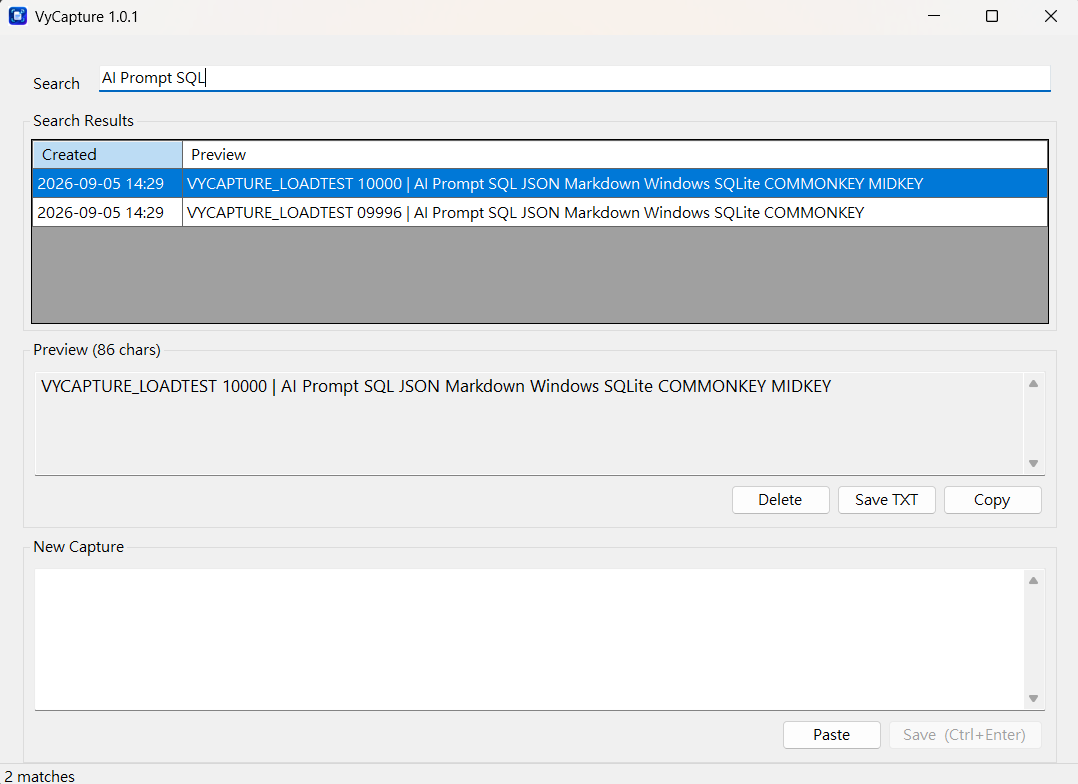
Some text is useful enough to keep, but not important enough to create a document, folder, category, or note page for it. VyCapture gives that text a simple place to stay.
VyCapture focuses on a small set of actions that make saving and finding text fast.
Paste useful text and save it without creating folders, tags, or a document first.
Type a few words you remember and quickly narrow down your saved text.
Check the full text before copying or saving it as a TXT file.
VyCapture works well for the text that is useful now but does not yet belong in a formal document or knowledge system.
VyCapture does not require an account or cloud sync for its core workflow. Your captured text is stored locally on your Windows PC.

VyCapture main window. Save text, search by keywords, preview the full content, then copy or export it when needed.
VyCapture is currently available as a free download during the promotion period.
Download from Microsoft StorePromotion period has no fixed end date. Current availability and pricing are based on Microsoft Store information.